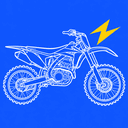
How to design custom dirt bike graphics, step by step
Great kits are not about cramming in detail. They have one clear idea, strong contrast, and clean areas where numbers and logos can breathe.
1. Start from your bike
Pick the exact model and year. Plastics change shape between generations, and a kit drawn for the wrong shrouds will never line up.
2. Choose one main idea
Flames, camo, a flag, a gradient. Pick one theme and let the rest of the kit support it. A library kit or an AI prompt is a fast way to get a base you can edit.
3. Limit your palette
Two main colors and one accent is plenty. Use the bike's stock color as the accent if you want an OEM-plus look.
4. Keep the plates clean
Number plates need solid, high-contrast backgrounds. Put the busy art on the shrouds and fenders, not behind your number.
5. Place logos last
Sponsor logos look best lined up with the panel edges. Use the snap tool to center them on a panel, then mirror them to the other side.
6. Check both sides and the finish
Flip the preview to the left and right side, then compare gloss, matte, chrome and holographic before you export.